Teleoperation
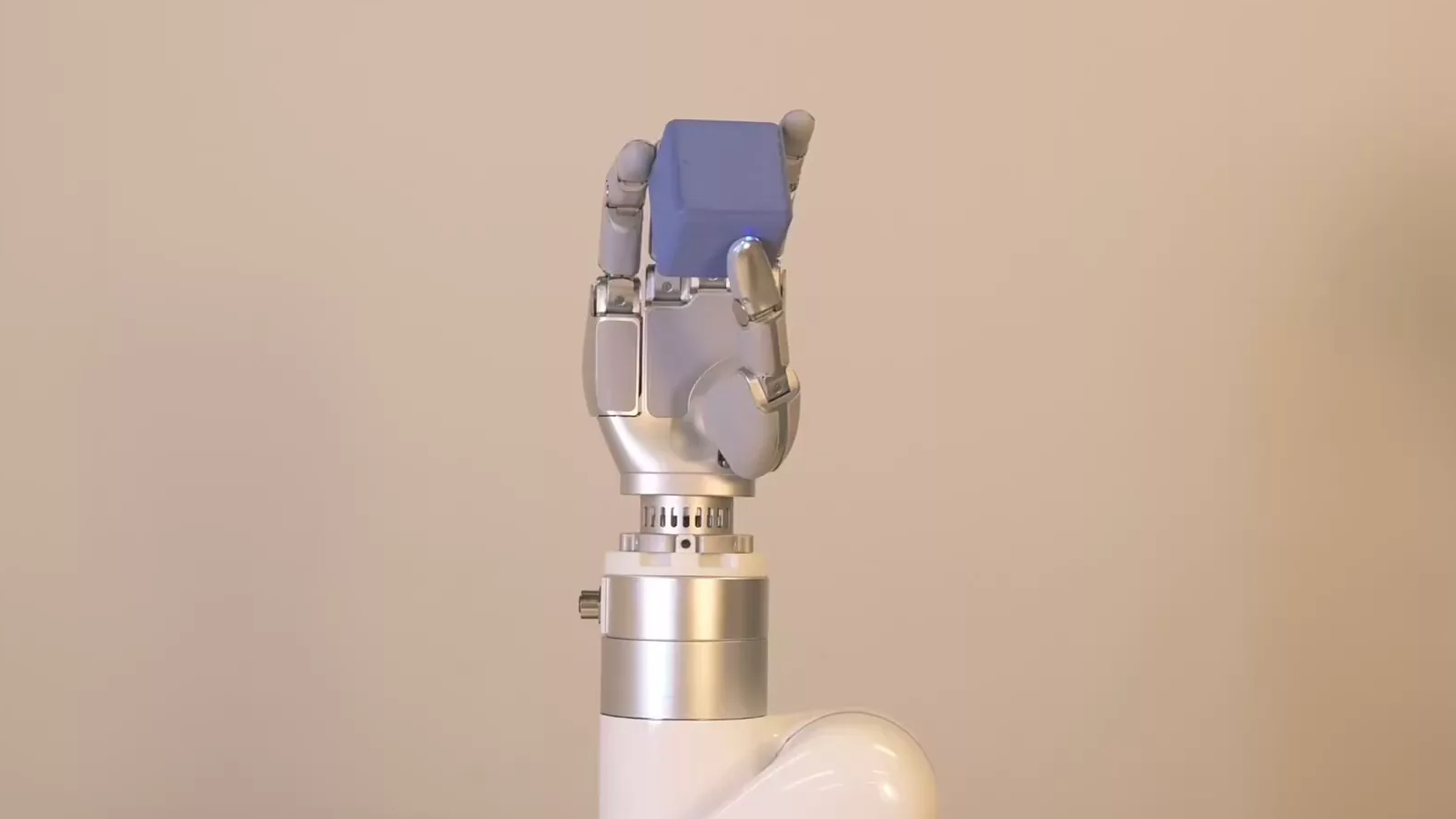 |  |
|---|---|
| Dexterous hand control. | Humanoid motion control. |
A named rig connects a source, retargeter, and target in one command. Choose the flow that matches the motion you want to control, then complete the linked device setup.
Choose a flow
| Flow | Motion source | Robot output |
|---|---|---|
hand.py | Manus or Vision Pro | One robot hand |
arm.py | Vision Pro | One or two xArms |
arm_hand.py | Vision Pro | Synchronized arms and hands |
humanoid.py | BVH, Axis Studio, PICO, or a PICO recording | G1 motion through SONIC, with optional Viser |
humanoid_hand.py | PICO body motion and buttons | G1 plus two physical Inspire hands |
Quest 3, RealSense, and ZED have standalone device scripts. They are not inputs to these named rigs.
Select a rig
List the available rigs, then inspect a selected rig's settings:
uv run scripts/teleop/hand.py --help
uv run scripts/teleop/hand.py manus_xhand --help
The first command lists rigs; the second shows the selected rig's fields and defaults. Install the source's dependencies before running it; each device page provides a complete command.
Override settings
Configuration fields become dotted options. For example, replay a Vision Pro recording at its original rate and scale wrist movement:
uv run --extra vision-pro scripts/teleop/arm.py \
    visionpro_xarm7 --mode viser --device cpu \
    --source.recording-path data/vision_pro.pkl \
    --source.recording-fps 50 \
    --retargeters.right.translation-scale 0.5
Create the recording with the Vision Pro recorder first. Recording files do not store frame rate, so pass the rate used when capturing.
| Field family | Example |
|---|---|
| Source | --source.ip, --source.recording-path |
| Arm connection | --arms.right.ip |
Arm solver in arm.py | --retargeters.right.translation-scale |
Arm solver in arm_hand.py | --arm-retargeters.right.translation-scale |
| Humanoid target tuple | --targets.0.port |
The fields available depend on the selected rig. Boolean switches may use a --no- form; PICO's foot mapping uses --source.no-use-ankle-as-foot-target.
Choose the output
hand, arm, and arm_hand default to viser:
| Mode | Output |
|---|---|
--mode viser | Browser preview |
--mode real | Physical robot |
--mode both | Physical robot and browser preview |
Humanoid flows choose targets through the rig. A *_sonic_viser rig publishes SONIC commands and displays the same motion in Viser. The viewer works without a SONIC receiver. humanoid_hand opens physical Inspire hands and has no preview mode.
SONIC runs as a separate receiver. See G1 / SONIC for sender and receiver settings, simulation, and deployment.
Start with Humanoid teleoperation for body motion, or Quickstart for a recording that needs no hardware.
Use the Python API
A rig is a source, a retargeter, and targets. This loop runs the BVH rig without a tracking device or robot: SONIC publishes commands whether or not a receiver is running.
from retargetingkit.configs.teleop.humanoid.bvh_g1_sonic import BVH_G1_SONIC_CONFIG

config = BVH_G1_SONIC_CONFIG
source = config.source.build()
retargeter = config.retargeter.build(device)
targets = [target_config.build() for target_config in config.targets]

while True:
    frame = source.get_frame()
    if frame is not None:
        command = retargeter.solve(frame)
        for target in targets:
            target.set_command(command)
import numpy as np
import warp as wp
device = "cuda:0" if wp.is_cuda_available() else "cpu"
from retargetingkit.configs.teleop.humanoid.bvh_g1_sonic import BVH_G1_SONIC_CONFIG
config = BVH_G1_SONIC_CONFIG
source = config.source.build()
retargeter = config.retargeter.build(device)
targets = [target_config.build() for target_config in config.targets]
while True:
frame = source.get_frame()
if frame is not None:
command = retargeter.solve(frame)
for target in targets:
target.set_command(command)
break
assert command.qpos.shape == (29,)
assert np.isfinite(command.qpos).all()
for target in targets:
target.close()
source.close()